Appearance
Platform overview
Last updated: 2026–08-20
LendAPI is an embedded lending platform. The dashboard lets you manage applications, customers, tenant settings, pricing, rules, and more. It solves the problem of running one or many lending programs — each with its own branches, products, and users — from a single login.
Logging in
- Open the LendAPI dashboard (your organization’s URL, e.g. app.lendapi.com or your configured domain).
- Enter your email and password.
- After login you’ll see the same names as this Field Guide. The left sidebar is grouped like this:
- Agent Dashboard, Leads, Tenants
- Marketplace: Lead Gen, Lenders
- Workflows: Flow Builder, Product Studio, Rules Studio, Pricing Engine, Model Studio, Decision Outcomes, Contract Builder, Document Library, Integrations
- Templates: Email & SMS, Document Upload
- Tools: Labs, Stats, Decision tree report
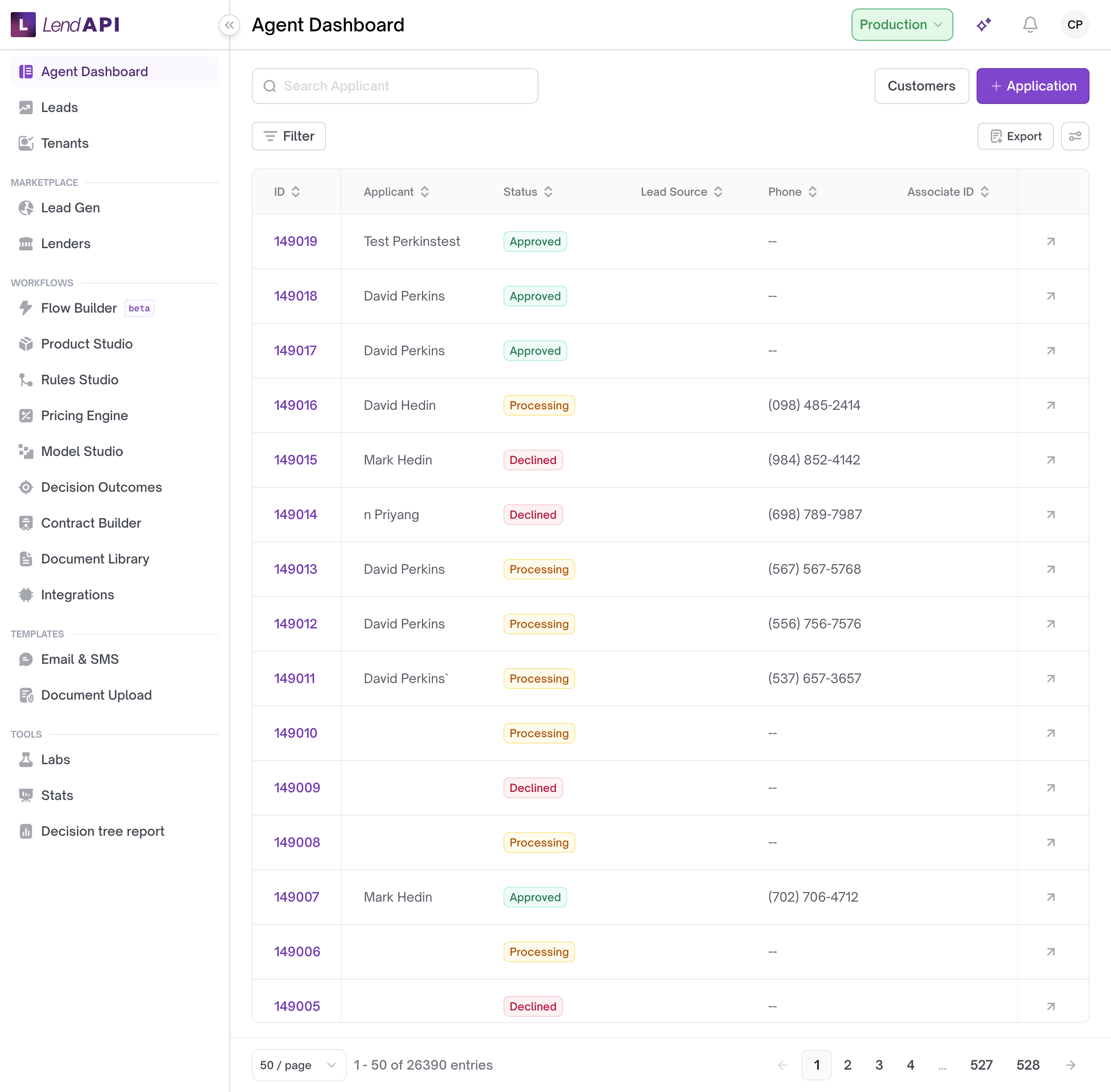
Customers is not a sidebar item. Open it from Agent Dashboard with the Customers button.
Your access (menus and actions) depends on your role.
Roles
Roles control what you can see and do in the dashboard. Common roles include:
- Tenant Admin – Full access to tenant settings, API keys, webhooks, workspace, security, branding, configuration, and user management.
- Subtenant Admin – Admin within a sub-tenant.
- Underwriter – Underwriting and decision-related actions.
- Reviewer – Review applications and related data.
- Analyst – View and analyze data.
- CSR (Customer Service Rep) – Customer-facing support actions.
- Support Rep – Support and troubleshooting.
- Auditor – Read-only or audit-focused access.
If you don’t see a menu or action, your role may not have permission. Contact your Tenant Admin to change roles or permissions.
Tenant context
Your session is tied to a tenant (your organization or sub-organization). A tenant can be a parent — an organization that has sub-tenants underneath it — or it can be a standalone tenant with no children. Some views are filtered by tenant; Tenants in the sidebar lets admins manage sub-tenants and users.
Each sub-tenant carries its own name, its own active/inactive status, and its own count of users and applications. A parent tenant can also expose a set of products that sub-tenants use, and each sub-tenant’s onboarding is tied to whichever product it signed up through.
Deactivating a tenant does not delete it. It sets the tenant’s active flag to false — the typical reason is that a sub-tenant organization has stopped paying or stopped operating. Records and history are preserved; the tenant simply stops being treated as active.
For more on tenant-level settings, see Tenants.
Worked example
Sunrise Credit Union is a parent tenant with three branch sub-tenants: Downtown, Uptown, and Riverside. A Tenant Admin logs into the Sunrise Credit Union dashboard and opens Tenants from the sidebar.
The list shows each branch with its name, whether it’s active, which product it onboarded through (for example, “Personal Line of Credit”), how many staff users it has, and how many eligible applications it has in the pipeline. The admin types “Riverside” into the search box, and the list narrows to just that branch.
Riverside branch closes for the season. The admin opens Riverside’s detail view and deactivates it. Riverside’s active flag is set to false — its data stays intact, but it no longer counts as an active branch. When the branch reopens, the admin can reactivate it the same way.
Use case
A credit union with several physical branches wants each branch to operate as its own unit — its own users, its own count of applications, its own product access — while still rolling up under one parent organization for reporting and administration. The credit union’s Tenant Admin creates a sub-tenant for each branch under Tenants, assigns Subtenant Admins to each one, and uses the active/inactive flag to turn a branch on or off without losing its history when it closes or reopens.
Best practices
- Deactivate a sub-tenant instead of trying to delete it when a branch or partner stops operating — this preserves its records.
- Use the search field on the Tenants list to find a specific sub-tenant by name or ID when you manage a large number of branches.
- Check a user’s role before assuming a missing menu is a bug — most missing menus are a permissions issue, not an outage.
- Reserve Tenant Admin for the people who truly need full access to branding, API keys, webhooks, and user management; give branch-level staff a Subtenant Admin or narrower role instead.
Next steps
- Agent Dashboard – Manage loan applications.
- Customers – View and manage customers.
- Tenants – Tenants, API keys, webhooks, security, branding.